'%20fill='%23171717'%3e%3cpath%20clip-rule='evenodd'%20d='m122.333%20203.667h-40.6663c-38.3385%200-57.5128%200-69.418-11.916-11.90516-11.915-11.915326-31.079-11.915326-69.418v-40.6663c0-38.3385-.000001-57.5128%2011.915326-69.418%2011.9153-11.90516%2031.1812-11.915326%2069.723-11.915326%206.161%200%2011.0918%200%2015.25.172833-.1355.813333-.2033%201.640223-.2033%202.480663l-.1017%2028.81233c0%2011.1528%200%2021.0145%201.0675%2028.9547%201.159%208.6111%203.8128%2017.2223%2010.8478%2024.2576%207.015%207.015%2015.636%209.6787%2024.248%2010.8377%207.94%201.0675%2017.801%201.0675%2028.954%201.0675h41.196c.437%205.4293.437%2012.0983.437%2020.9743v4.442c0%2038.339%200%2057.513-11.916%2069.418-11.915%2011.906-31.079%2011.916-69.418%2011.916z'%20fill-rule='evenodd'/%3e%3cpath%20d='m176.745%2057.4396-40.26-36.2239c-11.458-10.3191-17.181-15.48381-24.227-18.17798l-.091%2027.79568c0%2023.9628%200%2035.9493%207.442%2043.3913s19.428%207.442%2043.391%207.442h36.397c-3.681-7.1573-10.289-13.0946-22.652-24.2271z'/%3e%3c/g%3e%3c/svg%3e)
'%20fill='%23fafafa'%3e%3cpath%20clip-rule='evenodd'%20d='m122.333%20203.667h-40.6663c-38.3385%200-57.5128%200-69.418-11.916-11.90516-11.915-11.915326-31.079-11.915326-69.418v-40.6663c0-38.3385-.000001-57.5128%2011.915326-69.418%2011.9153-11.90516%2031.1812-11.915326%2069.723-11.915326%206.161%200%2011.0918%200%2015.25.172833-.1355.813333-.2033%201.640223-.2033%202.480663l-.1017%2028.81233c0%2011.1528%200%2021.0145%201.0675%2028.9547%201.159%208.6111%203.8128%2017.2223%2010.8478%2024.2576%207.015%207.015%2015.636%209.6787%2024.248%2010.8377%207.94%201.0675%2017.801%201.0675%2028.954%201.0675h41.196c.437%205.4293.437%2012.0983.437%2020.9743v4.442c0%2038.339%200%2057.513-11.916%2069.418-11.915%2011.906-31.079%2011.916-69.418%2011.916z'%20fill-rule='evenodd'/%3e%3cpath%20d='m176.745%2057.4396-40.26-36.2239c-11.458-10.3191-17.181-15.48381-24.227-18.17798l-.091%2027.79568c0%2023.9628%200%2035.9493%207.442%2043.3913s19.428%207.442%2043.391%207.442h36.397c-3.681-7.1573-10.289-13.0946-22.652-24.2271z'/%3e%3c/g%3e%3c/svg%3e)
CSV Duplicate Row Remover Tool — Free, Instant, Private
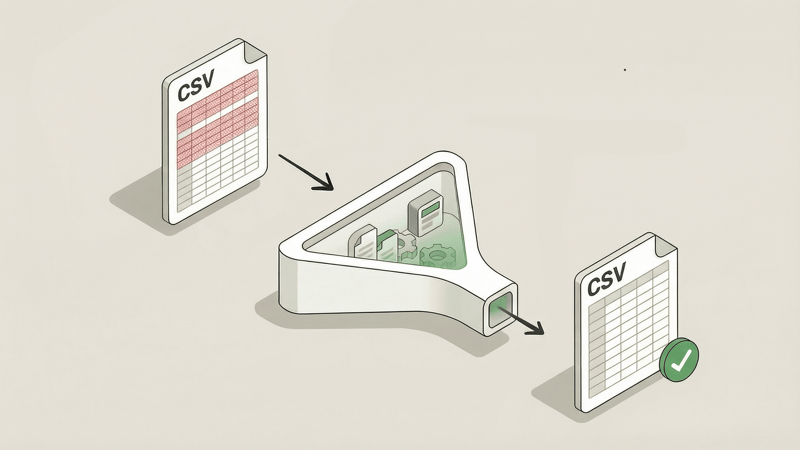
Duplicate rows in your CSV files can wreck your data analysis, bloat your imports, and create headaches downstream.
Cleaning them up manually? Tedious and error-prone.
Introducing Bank PDF Converter's free CSV Deduplicator. Remove duplicate rows from your CSV files in seconds—right in your browser. No uploads, no sign-ups, no privacy concerns.
Why We Built This
Duplicate data is one of those problems that seems minor until it isn't. Maybe you're importing records into a database and suddenly have constraint violations. Or your analytics are skewed because the same transaction appears twice. Or you're merging data from multiple sources and end up with redundant entries.
The usual solutions? Excel's "Remove Duplicates" feature buries options deep in menus. Command-line tools require technical knowledge. Online tools ask you to upload sensitive data to unknown servers.
We wanted something simpler: a deduplication tool that works instantly in your browser, keeps your data private, and gives you precise control over how duplicates are identified. So we built it.
Key Features
100% Browser-Based
Your files never leave your device. Everything processes locally in your browser—no server uploads, no data collection, no third parties touching your information. When you're working with financial records or sensitive data, privacy isn't optional.
Instant Deduplication
No waiting for server processing. The deduplication happens immediately on your machine. Drop your file, configure your options, download the cleaned result. Done in seconds.
Smart Column Selection
Not all duplicates are created equal. Sometimes two rows share the same email but have different timestamps—and you only care about the email. The tool lets you choose exactly which columns to compare, so you define what "duplicate" means for your data.
Case-Sensitive Options
Does "john@example.com" equal "John@Example.com" for your purposes? Toggle case sensitivity on or off depending on your needs. Small detail, big difference when you're cleaning up real-world data.
Keep First or Last
When duplicates are found, which row should survive? Keep the first occurrence to preserve original entries, or keep the last to retain the most recent. You decide.
CSV or Excel Output
Download your deduplicated data as a CSV file, or switch to Excel format if that's what your workflow needs. No need to reach for a separate CSV to Excel converter afterward.
Free, No Account Required
Use it as much as you want. There's no sign-up required, no processing caps, and no hidden fees. It's genuinely free.
Real-World Use Cases
Database Import Prep
Before importing records into your database, run them through the deduplicator to prevent constraint violations and ensure clean data from the start.
Post-Merge Cleanup
After merging multiple CSV files, duplicates can creep in from overlapping datasets. Deduplicate the merged result to get a clean, unified file.
CRM and Contact List Hygiene
Duplicate contacts waste email sends and create confusion. Clean your lists before uploading to your CRM or email marketing platform.
Financial Data Reconciliation
Duplicate transactions throw off reconciliation. Identify and remove them to ensure your records match your bank statements accurately.
Analytics Data Cleaning
Before running reports or feeding data into analytics tools, remove duplicates to ensure your metrics aren't inflated by repeated entries.
How to Use It
- Go to the tool — Open the CSV Deduplicator
- Drop your file — Drag and drop your CSV file (up to 10 MB). Select which columns to compare and your preferred options.
- Download — Get your cleaned CSV or Excel file with duplicates removed.
That's it. Three steps, clean data.
Complete Your Data Toolkit
The CSV Deduplicator pairs well with our other free tools:
- CSV Merge Tool — Combine multiple CSV files into one, then deduplicate the result
- CSV to Excel Converter — Turn your clean CSV into a formatted Excel spreadsheet
- Excel to CSV Converter — Convert Excel files to CSV format before deduplication
Try It Now
Ready to clean up your data? Head over to our CSV Deduplicator and remove those duplicates in seconds.
And if you're working with bank statement PDFs and need to extract transaction data into CSV or Excel format, check out Bank PDF Converter—our AI-powered tool that handles the heavy lifting of parsing complex bank statements with validation so you can trust the data.