'%20fill='%23171717'%3e%3cpath%20clip-rule='evenodd'%20d='m122.333%20203.667h-40.6663c-38.3385%200-57.5128%200-69.418-11.916-11.90516-11.915-11.915326-31.079-11.915326-69.418v-40.6663c0-38.3385-.000001-57.5128%2011.915326-69.418%2011.9153-11.90516%2031.1812-11.915326%2069.723-11.915326%206.161%200%2011.0918%200%2015.25.172833-.1355.813333-.2033%201.640223-.2033%202.480663l-.1017%2028.81233c0%2011.1528%200%2021.0145%201.0675%2028.9547%201.159%208.6111%203.8128%2017.2223%2010.8478%2024.2576%207.015%207.015%2015.636%209.6787%2024.248%2010.8377%207.94%201.0675%2017.801%201.0675%2028.954%201.0675h41.196c.437%205.4293.437%2012.0983.437%2020.9743v4.442c0%2038.339%200%2057.513-11.916%2069.418-11.915%2011.906-31.079%2011.916-69.418%2011.916z'%20fill-rule='evenodd'/%3e%3cpath%20d='m176.745%2057.4396-40.26-36.2239c-11.458-10.3191-17.181-15.48381-24.227-18.17798l-.091%2027.79568c0%2023.9628%200%2035.9493%207.442%2043.3913s19.428%207.442%2043.391%207.442h36.397c-3.681-7.1573-10.289-13.0946-22.652-24.2271z'/%3e%3c/g%3e%3c/svg%3e)
'%20fill='%23fafafa'%3e%3cpath%20clip-rule='evenodd'%20d='m122.333%20203.667h-40.6663c-38.3385%200-57.5128%200-69.418-11.916-11.90516-11.915-11.915326-31.079-11.915326-69.418v-40.6663c0-38.3385-.000001-57.5128%2011.915326-69.418%2011.9153-11.90516%2031.1812-11.915326%2069.723-11.915326%206.161%200%2011.0918%200%2015.25.172833-.1355.813333-.2033%201.640223-.2033%202.480663l-.1017%2028.81233c0%2011.1528%200%2021.0145%201.0675%2028.9547%201.159%208.6111%203.8128%2017.2223%2010.8478%2024.2576%207.015%207.015%2015.636%209.6787%2024.248%2010.8377%207.94%201.0675%2017.801%201.0675%2028.954%201.0675h41.196c.437%205.4293.437%2012.0983.437%2020.9743v4.442c0%2038.339%200%2057.513-11.916%2069.418-11.915%2011.906-31.079%2011.916-69.418%2011.916z'%20fill-rule='evenodd'/%3e%3cpath%20d='m176.745%2057.4396-40.26-36.2239c-11.458-10.3191-17.181-15.48381-24.227-18.17798l-.091%2027.79568c0%2023.9628%200%2035.9493%207.442%2043.3913s19.428%207.442%2043.391%207.442h36.397c-3.681-7.1573-10.289-13.0946-22.652-24.2271z'/%3e%3c/g%3e%3c/svg%3e)
CSV to Excel Converter Tool — Free, Instant, Private
Tired of CSV converters that require an account, show pop-up ads, cap the number of files, and can't be trusted with your data?
We built something better.
Introducing Bank PDF Converter's free CSV to Excel tool. No sign-ups, no install, 100% private in your browser. Just drag, drop, and download.
Why We Built This
CSV files are everywhere. They export from databases, analytics platforms, CRMs, accounting software—you name it. But when it's time to share, edit, or present that data, Excel is often the format people expect.
We wanted a conversion tool that's actually pleasant to use. One that respects your time and your data. So we made one.
Key Features
100% Browser-Based
Your files never leave your device. Everything runs locally in your browser—no uploads to remote servers, no data collection, no privacy concerns.
Instant Conversion
No waiting for server processing. Conversion happens immediately on your machine, so you get your Excel file in seconds.
Smart Formatting
The converter automatically recognizes numeric values and applies appropriate formatting. Column headers are bolded for better readability right out of the box.
Multi-File Support
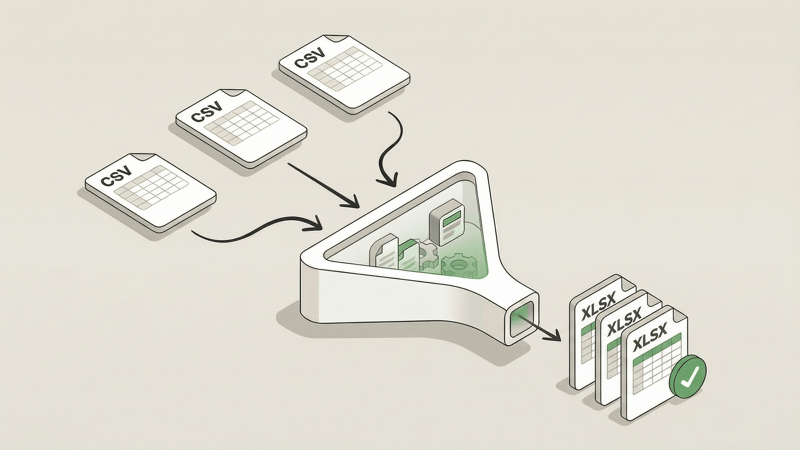
Need to convert a batch of CSVs? Upload them all at once. Multiple conversions download as a convenient ZIP archive.
Works Offline
Once the page loads, you can convert files without an internet connection. Great for working on the go or in low-connectivity environments.
No Account, No Limits, No Cost
Use it as much as you want. There's no sign-up required, no conversion caps, and no hidden fees. It's genuinely free.
Who It's For
Anyone working with CSVs:
- Data analysts exporting reports from BI tools
- Accountants working with transaction exports
- Marketers pulling data from analytics platforms
- Developers converting database exports
- Researchers handling survey or experiment data
- Students working on projects and assignments
If you've ever needed to turn a CSV into an Excel file, this tool is for you.
How to Use It
- Go to the tool — Open the CSV to Excel Converter
- Drop your files — Drag and drop one or more CSV files (up to 10 MB each)
- Download — Click to download your Excel file (or ZIP for multiple files)
That's it. No account creation, no email verification, no waiting.
Try It Now
Ready to convert? Head over to our CSV to Excel Converter and give it a spin.
And if you're working with bank statement PDFs and need to extract transaction data into Excel or CSV format, check out Bank PDF Converter—our AI-powered tool that handles the heavy lifting of parsing complex bank statements with validation so you can trust the data.