'%20fill='%23171717'%3e%3cpath%20clip-rule='evenodd'%20d='m122.333%20203.667h-40.6663c-38.3385%200-57.5128%200-69.418-11.916-11.90516-11.915-11.915326-31.079-11.915326-69.418v-40.6663c0-38.3385-.000001-57.5128%2011.915326-69.418%2011.9153-11.90516%2031.1812-11.915326%2069.723-11.915326%206.161%200%2011.0918%200%2015.25.172833-.1355.813333-.2033%201.640223-.2033%202.480663l-.1017%2028.81233c0%2011.1528%200%2021.0145%201.0675%2028.9547%201.159%208.6111%203.8128%2017.2223%2010.8478%2024.2576%207.015%207.015%2015.636%209.6787%2024.248%2010.8377%207.94%201.0675%2017.801%201.0675%2028.954%201.0675h41.196c.437%205.4293.437%2012.0983.437%2020.9743v4.442c0%2038.339%200%2057.513-11.916%2069.418-11.915%2011.906-31.079%2011.916-69.418%2011.916z'%20fill-rule='evenodd'/%3e%3cpath%20d='m176.745%2057.4396-40.26-36.2239c-11.458-10.3191-17.181-15.48381-24.227-18.17798l-.091%2027.79568c0%2023.9628%200%2035.9493%207.442%2043.3913s19.428%207.442%2043.391%207.442h36.397c-3.681-7.1573-10.289-13.0946-22.652-24.2271z'/%3e%3c/g%3e%3c/svg%3e)
'%20fill='%23fafafa'%3e%3cpath%20clip-rule='evenodd'%20d='m122.333%20203.667h-40.6663c-38.3385%200-57.5128%200-69.418-11.916-11.90516-11.915-11.915326-31.079-11.915326-69.418v-40.6663c0-38.3385-.000001-57.5128%2011.915326-69.418%2011.9153-11.90516%2031.1812-11.915326%2069.723-11.915326%206.161%200%2011.0918%200%2015.25.172833-.1355.813333-.2033%201.640223-.2033%202.480663l-.1017%2028.81233c0%2011.1528%200%2021.0145%201.0675%2028.9547%201.159%208.6111%203.8128%2017.2223%2010.8478%2024.2576%207.015%207.015%2015.636%209.6787%2024.248%2010.8377%207.94%201.0675%2017.801%201.0675%2028.954%201.0675h41.196c.437%205.4293.437%2012.0983.437%2020.9743v4.442c0%2038.339%200%2057.513-11.916%2069.418-11.915%2011.906-31.079%2011.916-69.418%2011.916z'%20fill-rule='evenodd'/%3e%3cpath%20d='m176.745%2057.4396-40.26-36.2239c-11.458-10.3191-17.181-15.48381-24.227-18.17798l-.091%2027.79568c0%2023.9628%200%2035.9493%207.442%2043.3913s19.428%207.442%2043.391%207.442h36.397c-3.681-7.1573-10.289-13.0946-22.652-24.2271z'/%3e%3c/g%3e%3c/svg%3e)
Merge CSV Files Tool — Free, Instant, Private
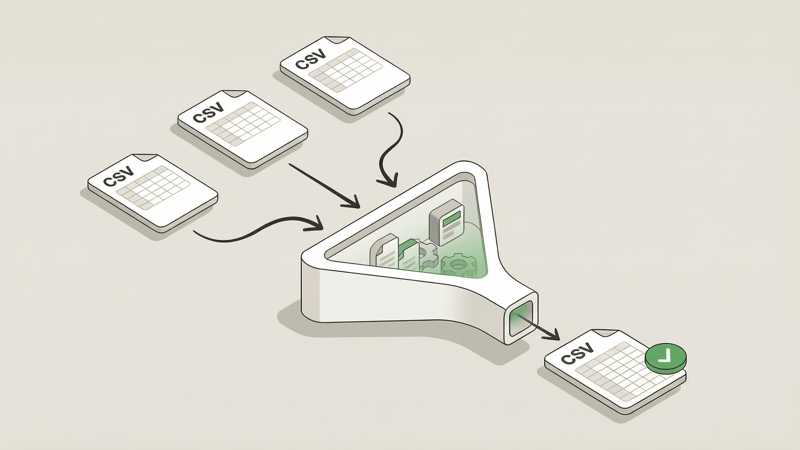
Tired of manually copying and pasting data between CSVs?
There's a better way.
Introducing Bank PDF Converter's free CSV Merge tool. Combine multiple CSV files into one in seconds—right in your browser. No uploads, no sign-ups, no privacy concerns.
Update: Working with Excel files? Check out our new free Excel Merge tool to combine multiple spreadsheets into one.
Why We Built This
Merging CSV files sounds simple until you're staring at twelve spreadsheets that need to become one. The manual approach—open, copy, paste, repeat—is tedious and error-prone. Miss a row, duplicate a header, accidentally include empty lines—it happens.
And the online tools? Most require you to upload your files to their servers. That's a non-starter when you're working with financial data, client information, or anything remotely sensitive.
We wanted a CSV merge tool that actually respects your time and your data. One that handles the tedious work while keeping your files private. So we built it.
Key Features
100% Browser-Based
Your files never leave your device. Everything processes locally in your browser—no server uploads, no data collection, no third parties touching your information. Your data stays yours.
Instant Merging
No waiting for server processing or watching a progress bar crawl. The merge happens immediately on your machine. Upload, configure, download. Done.
Flexible Output: CSV or Excel
Need the merged data as a CSV? You got it. Prefer Excel format? Just toggle the output option. The tool gives you flexibility without making you reach for a separate CSV to Excel converter.
Smart Options
Fine-tune your merge with powerful options:
- Remove empty rows — Clean up the data automatically
- Eliminate duplicates — Strip out identical rows (or use our dedicated CSV Deduplicator for more control)
- Add source filename column — Track which file each row came from
Drag-to-Reorder
File order matters when merging. Drag and drop your files into the exact sequence you want before merging. No more renaming files with number prefixes just to control the order.
Free, No Account Required
Use it as much as you want. There's no sign-up required, no conversion caps, and no hidden fees. It's genuinely free. We built it to be useful—not to harvest emails.
Real-World Use Cases
Monthly Report Consolidation
Pulling together monthly sales reports, expense logs, or analytics exports? Merge them into a single file for easier analysis and cleaner presentations.
Multi-Source Data Aggregation
Combining data from different systems, departments, or vendors? Drop all your CSVs in, reorder as needed, and merge into one unified dataset.
Batch Processing Workflows
Automating data pipelines often means dealing with multiple output files. Use the merge tool to consolidate batch exports before the next step in your workflow.
Data Migration Prep
Preparing data for import into a new system? Merge your source files, clean up duplicates and empty rows, then export in the format your target system expects.
How to Use It
- Go to the tool — Open the CSV Merge Tool
- Drop your files — Drag and drop your CSV files (up to 10 MB each, 50 MB total). Reorder them if needed.
- Configure and merge — Select your options, choose your output format, and click merge. Download your combined file.
That's it. Three steps, no friction.
Try It Now
Ready to merge? Head over to our CSV Merge Tool and combine your files in seconds.
And if you're working with bank statement PDFs and need to extract transaction data into CSV or Excel format, check out Bank PDF Converter—our AI-powered tool that handles the heavy lifting of parsing complex bank statements with validation so you can trust the data.