'%20fill='%23171717'%3e%3cpath%20clip-rule='evenodd'%20d='m122.333%20203.667h-40.6663c-38.3385%200-57.5128%200-69.418-11.916-11.90516-11.915-11.915326-31.079-11.915326-69.418v-40.6663c0-38.3385-.000001-57.5128%2011.915326-69.418%2011.9153-11.90516%2031.1812-11.915326%2069.723-11.915326%206.161%200%2011.0918%200%2015.25.172833-.1355.813333-.2033%201.640223-.2033%202.480663l-.1017%2028.81233c0%2011.1528%200%2021.0145%201.0675%2028.9547%201.159%208.6111%203.8128%2017.2223%2010.8478%2024.2576%207.015%207.015%2015.636%209.6787%2024.248%2010.8377%207.94%201.0675%2017.801%201.0675%2028.954%201.0675h41.196c.437%205.4293.437%2012.0983.437%2020.9743v4.442c0%2038.339%200%2057.513-11.916%2069.418-11.915%2011.906-31.079%2011.916-69.418%2011.916z'%20fill-rule='evenodd'/%3e%3cpath%20d='m176.745%2057.4396-40.26-36.2239c-11.458-10.3191-17.181-15.48381-24.227-18.17798l-.091%2027.79568c0%2023.9628%200%2035.9493%207.442%2043.3913s19.428%207.442%2043.391%207.442h36.397c-3.681-7.1573-10.289-13.0946-22.652-24.2271z'/%3e%3c/g%3e%3c/svg%3e)
'%20fill='%23fafafa'%3e%3cpath%20clip-rule='evenodd'%20d='m122.333%20203.667h-40.6663c-38.3385%200-57.5128%200-69.418-11.916-11.90516-11.915-11.915326-31.079-11.915326-69.418v-40.6663c0-38.3385-.000001-57.5128%2011.915326-69.418%2011.9153-11.90516%2031.1812-11.915326%2069.723-11.915326%206.161%200%2011.0918%200%2015.25.172833-.1355.813333-.2033%201.640223-.2033%202.480663l-.1017%2028.81233c0%2011.1528%200%2021.0145%201.0675%2028.9547%201.159%208.6111%203.8128%2017.2223%2010.8478%2024.2576%207.015%207.015%2015.636%209.6787%2024.248%2010.8377%207.94%201.0675%2017.801%201.0675%2028.954%201.0675h41.196c.437%205.4293.437%2012.0983.437%2020.9743v4.442c0%2038.339%200%2057.513-11.916%2069.418-11.915%2011.906-31.079%2011.916-69.418%2011.916z'%20fill-rule='evenodd'/%3e%3cpath%20d='m176.745%2057.4396-40.26-36.2239c-11.458-10.3191-17.181-15.48381-24.227-18.17798l-.091%2027.79568c0%2023.9628%200%2035.9493%207.442%2043.3913s19.428%207.442%2043.391%207.442h36.397c-3.681-7.1573-10.289-13.0946-22.652-24.2271z'/%3e%3c/g%3e%3c/svg%3e)
Excel to CSV Converter Tool — Free, Instant, Private
Last week we launched our free CSV to Excel converter, and the response was great. But almost immediately, we started hearing a common request: "Can you do the reverse?"
Turns out a lot of people need to go the other direction—taking Excel files and converting them to CSV format for database imports, data pipelines, or systems that only accept plain text files.
So we built it. Introducing Bank PDF Converter's free Excel to CSV tool. Same privacy-first approach, same instant processing, same zero-cost model. Just drag, drop, and download your CSV.
Why Excel to CSV Matters
CSV is the universal language of data exchange. While Excel is perfect for analysis, formatting, and sharing with colleagues, CSV is what databases, APIs, and automated systems actually want to consume.
When you're importing records into a database, feeding data into an analytics pipeline, or moving information between systems that don't speak Excel, CSV is your answer. It strips away the formatting and gives you clean, portable data that works everywhere.
Key Features
Runs Entirely in Your Browser
Your files stay on your device. The conversion happens locally—nothing gets uploaded to any server. Your spreadsheet data remains private, period.
Converts Instantly
No server round-trips means no waiting. Drop your Excel file and get your CSV in seconds, not minutes.
Handles Both .xlsx and .xls
Whether you're working with modern Excel files (.xlsx) or legacy formats (.xls), the converter handles both seamlessly.
Batch Conversion Support
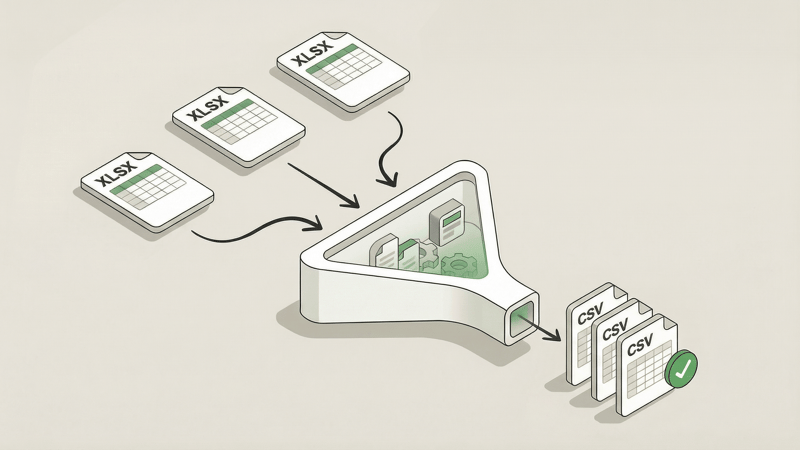
Got a stack of Excel files to convert? Drop them all at once. The tool processes each file and bundles your CSVs into a convenient ZIP download.
Works Without Internet
Once the page loads, you can convert files completely offline. Handy when you're working somewhere with spotty connectivity or strict network policies.
Completely Free, No Strings
No account required. No conversion limits. No hidden upsells. Convert as many files as you need, whenever you need.
Who It's For
Anyone who works with data:
- Developers importing records into databases
- Data engineers feeding analytics pipelines
- System administrators migrating data between platforms
- Analysts preparing exports for legacy systems
- Operations teams moving data between tools
- Anyone who needs clean, portable data from an Excel file
How to Use It
- Open the tool — Go to the Excel to CSV Converter
- Drop your files — Drag and drop one or more Excel files (up to 10 MB each)
- Download — Get your CSV file (or ZIP for multiple files)
Done. No sign-up forms, no email verification, no waiting.
Complete Your Toolkit
Need to go the other direction? Our CSV to Excel converter does exactly that—turn CSV files into properly formatted Excel spreadsheets with bolded headers and smart number formatting.
Between the two tools, you've got spreadsheet conversion covered in both directions.
Try It Now
Ready to convert? Head over to our Excel to CSV Converter and give it a spin.
And if you're working with bank statement PDFs and need to extract transaction data into Excel or CSV format, check out Bank PDF Converter—our AI-powered tool that handles the heavy lifting of parsing complex bank statements with validation so you can trust the data.